December Adventure Day 30
Serial Ports and Templates
Reconnect was on my mind as I started day 30 of my December Adventure, and I found my thoughts drifting to its relationship with plptools, which provides the Psion Link Protocol implementation and many other conveniences. Allowing myself the distraction—longer-term architectural noodlings are always useful—I ended up spending much of the day focused on plptools, exploring new features and considering its future direction. I also tool a little time to fix a longstanding bug in my website that I spotted while writing-up this adventure.
plptools
Speaking with Alex and Fabrice—the other maintainers of plptools—we settled on a couple of small improvements that would significantly improve the usability and testability of plptools. Both are aimed at improving connectivity and compatibility:
Support serial devices without DTR/DSR signalling
Some cheaper RS232 adapters and operating systems (looking at you, Haiku) don’t support these hardware signals meaning they don’t work with plptools. By offering a compatibility mode that ignores these signals, we should be able to significantly increase support at the cost of some connection robustness. A worthwhile trade-off.
TCP Serial Port Emulation
We’d love to be able to connect plptools to Psion emulators. This would serve, not only as a convenience for transferring files to and from the emulators themselves, but as a way to quickly test plptools against a broad range of deices. (Shocking as it may sound, we don’t always have every Psion device ever made to hand.) MAME provides an emulated serial port that streams unframed serial data over a TCP connection, and we would like to explicitly support this in plptools.
Keen to dig into something with some near-term benefits, I decided to take a shot at getting plptools to work with MAME.
Configuring MAME
First-up, I spent a little time figuring out how to enable the serial port in MAME:
mame \
    psion3a2 \
    -sibo serial \
    -sibo:serial:rs232 null_modem \
    -bitbanger socket.127.0.0.1:1234 \
Constructing this command took quite a lot longer than I’d have liked so, for future travellers, here’s my understanding of how it breaks down:
-sibo serial—enable the serial feature-sibo:serial:rs232 null_modem—configure the serial feature to use a null modem-bitbanger socket.127.0.0.1:1234—use the bitbanger interface connecting to127.0.0.1, port1234
In the process of working all this out, I discovered a couple of commands which might be helpful to others:
Use
-listslotsto show image-specific options:mame psion3a2 -listslotsThis will output something like:
SYSTEM           SLOT NAME        SLOT OPTIONS     SLOT DEVICE NAME
---------------- ---------------- ---------------- ----------------------------
psion3a2         sibo             fax              Psion 3-Fax Modem
                                parallel         Psion 3-Link Parallel Printer Interface
                                serial           Psion 3-Link RS232 Serial Interface
Used in combination with a specific slot option,
'-listslots'will show you the additional slots and options for that slot1:mame psion3a2 -sibo serial -listslotsThis shows the serial port specific configuration options:
SYSTEM           SLOT NAME        SLOT OPTIONS     SLOT DEVICE NAME
---------------- ---------------- ---------------- ----------------------------
psion3a2         sibo             fax              Psion 3-Fax Modem
                                parallel         Psion 3-Link Parallel Printer Interface
                                serial           Psion 3-Link RS232 Serial Interface

               sibo:serial:rs232 dec_loopback     RS-232 Loopback (DEC 12-15336-00)
                                h19              Heath H19 Terminal (Serial Port)
                                ie15             IE15 Terminal
                                keyboard         Serial Keyboard
                                loopback         RS-232 Loopback
                                mockingboard     Sweet Micro Systems Mockingboard D
                                msystems_mouse   Mouse Systems Non-rotatable Mouse (HLE)
                                nss_tvi          Novag Super System TV Interface
                                null_modem       RS-232 Null Modem
                                patch            RS-232 Patch Box
                                printer          Serial Printer
                                pty              Pseudo Terminal
                                rs232_sync_io    RS-232 Synchronous I/O
                                rs_printer       Radio Shack Serial Printer
                                scorpion         Micro-Robotics Scorpion Intelligent Controller
                                sunkbd           Sun Keyboard Adaptor
                                swtpc8212        SWTPC8212 Terminal
                                terminal         Serial Terminal
                                votraxtnt        Votrax Type 'N Talk (Serial Port)
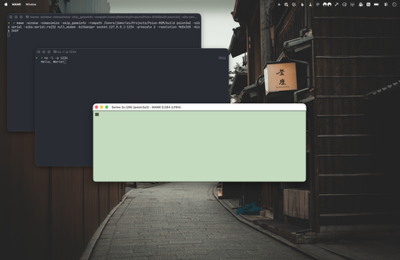
Armed with an appropriate command, I was quickly able to use netcat (nc -l -p 1234) to echo text sent from the Psion’s Comms program:
Supporting TCP (or Now I Have an AI Problem)
The serial port implementation in plptools is isolated to packet.cc where it’s treated as a classic POSIX file descriptor. This makes it easy to drop in a replacement TCP socket file descriptor (at least as a proof-of-concept). Since most C socket handling is boilerplate, and I knew exactly what I wanted, I thought it might prove a good test for AI—I find almost every aspect of generative AI deeply concerning, but I do my best to try it out every now and again so I can speak from at least some level of experience and knowledge. With very little prompting, Claude (Sonnet 4.5) was able to produce the following:
// This blocks rather than going back into a listening state.
int
init_tcp(const char *port_str, int debug)
{
    int listen_fd, conn_fd;
    struct sockaddr_in addr;
    int port = atoi(port_str);
    int optval = 1;

    if (debug)
        printf("creating TCP listener on port %d...\n", port);

    listen_fd = socket(AF_INET, SOCK_STREAM, 0);
    if (listen_fd < 0) {
        perror("socket");
        exit(1);
    }

    setsockopt(listen_fd, SOL_SOCKET, SO_REUSEADDR, &optval, sizeof(optval));

    memset(&addr, 0, sizeof(addr));
    addr.sin_family = AF_INET;
    addr.sin_addr.s_addr = INADDR_ANY;
    addr.sin_port = htons(port);

    if (bind(listen_fd, (struct sockaddr *)&addr, sizeof(addr)) < 0) {
        perror("bind");
        exit(1);
    }

    if (listen(listen_fd, 1) < 0) {
        perror("listen");
        exit(1);
    }

    if (debug)
        printf("waiting for connection...\n");

    conn_fd = accept(listen_fd, NULL, NULL);
    if (conn_fd < 0) {
        perror("accept");
        exit(1);
    }

    close(listen_fd);

    if (debug)
        printf("connection accepted, fd=%d\n", conn_fd);

    return conn_fd;
}
This function accepts an incoming TCP connection and returns a file descriptor, serving as a drop-in replacement for init_serial as implemented by mp_serial.c. I updated the code to call init_tcp with the appropriate arguments and, without any further modification, I was able to start up the plptools daemon (ncpd) and connect to a MAME Psion emulator. Success! 🥳
(I’d include a screenshot here, but my attempts to reproduce the experiment have been unsuccessful.)
In spite of this early success, I now feel like I have an AI problem: this code is clearly not production quality (it’s blocking; errors aren’t propagated; it makes no attempt to support multiple sequential or concurrent connections) and, while some might be willing to commit it to a project, the legality and copyright is deeply ambiguous. Although I’m not too worried that what I ultimately produce will be derivative (almost all generated code is boilerplate), I regret using AI here: there’s a lot of work required to turn it into production code and I doubt it saved me more than half an hour of development time, while incurring significant environmental, ethical, and legal cost.
I plan to revisit this over the coming weeks and (manually) design and implement an architecture which better fits plptools.
Date Formatting
If you view the December Adventure or Archive pages on this website, you’ll see that the list of posts is broken into sections, one for each year. This website is built using InContext (my own take on a static site generator) and uses Tilt, a Lua-based templating language designed by Tom, my partner in crime on many a project.
The template for generating these archive pages looks like this:
{% include "common.lua" %}
{% function content() %}
    <div class="post">
        {% include "post_header.html" %}
        <article class="post-content">

            {{ document.render() }}

            {%
                -- Get the posts.
                posts = document.query("posts")
                this_year = ""
                previous_year = ""
            %}

            {% for index, post in ipairs(posts) do %}

                {%
                    -- Get the year of the current post.
                    if post.date then
                        this_year = post.date.format("yyyy")
                    else
                        this_year = "Undated"
                    end
                %}

                {%
                    -- Start a new section if the year is different from the previous one.
                %}
                {% if index == 1 then %}
                    {% if this_year then %}
                        {% if not query then %}<h1>{{ this_year }}</h1>{% end %}
                    {% end %}
                    <ul class="pagelist short">
                {% else %}
                    {% if this_year ~= previous_year then %}
                        </ul>
                        {% if this_year then %}
                            <h1>{{ this_year }}</h1>
                        {% end %}
                        <ul class="pagelist short">
                    {% end %}
                {% end %}

                <li><span class="date">{% if post.date then %}{{ post.date.format(site.metadata.day_month_format_short) }}{% end %}</span> <a href="{{ post.url }}">{{ post.title }}{% if post.subtitle then %}: {{ post.subtitle }}{% end %}</a></li>

                {% if last(posts, index) then %}
                    </ul>
                {% end %}

                {% previous_year = this_year %}
            {% end %}

        </article>

    </div>
{% end %}
{% include "default.html" %}
The approach to determining the section fairly simple: the template iterates over the ordered posts (for index, post in ipairs(posts) do), generates the text representation of the year component of each post’s publish date (this_year = post.date.format("yyyy")) and, if it differs from that of the previous post (if this_year ~= previous_year then), prints a new header, and starts a new ul. While it feels a little inelegant (functional, it is not), this has always proven reliable. Until yesterday:

The astute reader might have already noticed the problem in the template, but it took me a little while to spot: it turns out there’s quite a difference between Y and y date format specifiers (used when getting the years from posts). They are defined as follows:
y—Year. Normally the length specifies the padding, but for two letters it also specifies the maximum length.Y—Year (in “Week of Year” based calendars). Normally the length specifies the padding, but for two letters it also specifies the maximum length. This year designation is used in ISO year-week calendar as defined by ISO 8601, but can be used in non-Gregorian based calendar systems where week date processing is desired. May not always be the same value as calendar year.
I was incorrectly using the ‘week of year’ year. 🤦
Week numbers are a fascinating unit of time as, depending on how the weeks align with a given year, the last days of a year might appear in week 1 of the following year, or the first days of the new year, in week 52 of the previous one. Thankfully, the fix was simple: change YYYY to yyyy.
-
Turtles all the way down. ↩