December Adventure Day 09
Shipping and Slowing Down
Having submitted version 2.0.0 of OpoLua to the App Store during day 8 of my December Adventure, I braced myself for the inevitable rejection, and set about having a somewhat slower day. Much to my surprise, it was approved! Find it here. 🎉
OpoLua
Spurred on by this unexpected win, I generated screenshots for the macOS build, submitted it to the Mac App Store, and did a little project housekeeping.
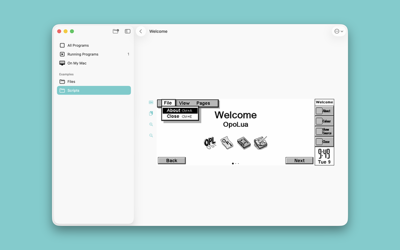
The Welcome example program running on macOS
Version 2 brings a dedicated macOS Catalyst build, allowing us to better target Mac-specific behaviour. Longer term, I anticipate we’ll replace this with the Qt build, but there’s a lot of work to do before that happens.
With a little more confidence that OpoLua still passes App Review guidelines, I took some time to try out Icon Composer and create icons that will hopefully play better with Liquid Glass—Apple apply a bunch of heuristics to generate icons if you don’t provide your own, so doing this me much greater control over how things appear. This updated icon isn’t shipping in 2.0.0, but it’s ready and waiting for the next point release.

Icon Composer lets you specify how icons appear in all display styles
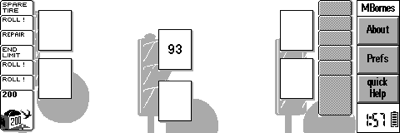
I also took a little time to give the Revo some love: Fabrice (who’s been rigorously testing OpoLua throughout our development process) noticed that the toolbar doesn’t display correctly, so I grabbed a few example screenshots and Revo-specific resource files to help us improve our support.
Brackets
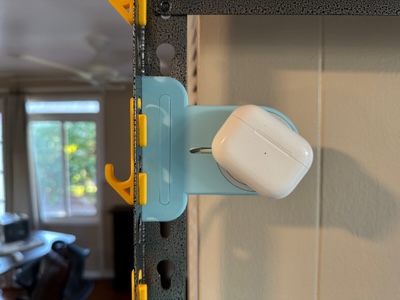
One of the possible prompts I set myself myself for my December Adventure was to, ‘write about my 3D printed brackets’. While that day’s yet to come, I did take a little time to revisit my MagSafe bracket to obviate the need for screws and thermal inserts, and make it printable without supports.

I’m pretty pleased with the outcome:
For day 10, I plan to return to the Organiser II lucky dip and am hopeful of a little more retro spelunking—I’ve got my fingers crossed for GlobalTalk.